
Services

Cloud servers that treat India as the main region

KVM virtual servers, dedicated bare metal and fully managed hosting — NVMe-fast, IPv6-ready and provisioned in about 15 minutes. Hosted in proven Indian data centers today, with our Lucknow edge region next on the roadmap.
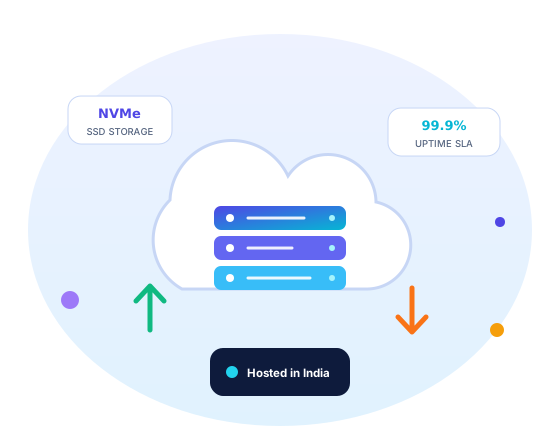
Cloud servers — KVM VPS, bare metal and managed hosting from Addroit Nexus
What We Offer

Three ways to run compute, one team behind all of them

KVM VPS when you want flexibility, dedicated bare metal when you want every last IOPS, and managed WordPress or application hosting when you would rather run your business than your servers.

Hardware you can actually feel

Every plan runs on enterprise NVMe SSDs and modern server CPUs in established Indian data centers — so database queries, cart checkouts and Tally reports respond the way they do on a good laptop, not a shared cPanel box from 2014. As our Lucknow edge facility comes online, workloads that serve Uttar Pradesh move even closer to their users.

NVMe server hardware racked inside a data center
Monitoring dashboards showing server metrics

Full root, full visibility

You get genuine root (or Administrator) access, a clean control panel, console access for rescue situations, and graphs you can trust — CPU steal, disk latency and bandwidth per interface. No mystery throttling, no "resource limit exceeded" pages your customers see before you do.

Every server ships with

  • Enterprise NVMe SSD storage on every plan
  • 3 snapshot slots for fearless changes
  • Automated backups with tested restores
  • Network firewall managed from the panel
  • IPv6 dual-stack alongside dedicated IPv4
  • Full root / Administrator access
  • Provisioning in roughly 15 minutes
  • Free assisted migration from your current host
Plans

Simple plans, rupee-honest pricing

Monthly billing, GST invoice with every payment, UPI and cards accepted. Scale up in place — no rebuild needed.

PlanPrice (₹/mo)vCPURAMNVMe StorageTransfer
Starter₹1,4991 vCPU2 GB40 GB1 TB
Business₹3,5992 vCPU4 GB80 GB2 TB
Performance₹8,6994 vCPU8 GB160 GB4 TB
Bare Metalfrom ₹26,999Dedicated CPUsCustomCustom NVMeCustom
Indicative pricing: rates shown are representative and exclusive of GST (18%). Final quotes depend on region, add-ons and commitment term — every order is confirmed in writing with a proper GST invoice before you pay.
Priced for what is inside: our plans are built on current-generation enterprise NVMe and server-grade RAM procured at today’s market rates — with redundant storage, daily snapshots, DDoS-aware networking and monitoring included rather than sold as add-ons. We would rather quote one real, sustainable number than oversell cheap nodes that crawl the moment your traffic matters. What you see is what your workload actually gets.
Operating Systems
Ubuntu LTS Debian AlmaLinux / Rocky Windows Server (licensed) Bring your own ISO
Why Upgrade From Shared Hosting

Load is where your architecture shows

On a quiet Tuesday, everything looks fast. The difference appears on result day, sale day and month-end — when a shared server splits its CPU across hundreds of strangers while a VPS or dedicated node keeps your resources reserved for you.

Typical page response under peak load (relative)

Shared hosting
8–20× slower
Addroit KVM VPS
1.5–3×
Dedicated bare metal
baseline

Indicative behaviour from our migration benchmarks on typical PHP and .NET workloads; your exact numbers depend on the application. KVM means reserved RAM and honest vCPUs — no oversold "burst" arithmetic.

Choose Your Involvement

Unmanaged freedom or managed calm

Unmanaged — you hold root

For teams with their own sysadmins or DevOps. We keep the host healthy, the network clean and the backups running; everything inside the OS is yours to command.

  • Full root, custom ISOs, rescue console
  • Panel + API for reinstalls, snapshots, firewall
  • Host hardware and network watched by our NOC
  • You handle OS patching and app configuration

Managed — we hold the pager

For businesses that want outcomes, not uptime anxiety. Our engineers run the OS and the stack — WordPress, e-commerce or your custom application — as a monthly service.

  • OS patching, hardening and malware scans
  • Monitoring with humans who respond, not just alert
  • Backup verification and periodic restore drills
  • Performance tuning: caching, PHP/DB, CDN setup
Getting Started

From order to online in four short steps

Choose

Pick a plan and OS — or tell us the workload and we will size it for you.

Provision

Your server is live in about 15 minutes, with credentials delivered securely.

Migrate

We move your sites, databases and DNS free of charge, with a rollback plan.

Monitor

Dashboards, alerts and our 24×7×365 NOC keep watch from day one.

Use Cases

What businesses run on Addroit cloud servers

Web apps & APIs

Production .NET, Node, PHP and Python stacks with staging clones one snapshot away.

ERP & Tally on cloud

Multi-user Tally, Busy and ERP instances your branches reach securely from anywhere — with nightly backups.

Game servers

Low-ping Minecraft, FiveM and CS2 hosting for Indian players — dedicated cores where it matters.

Dev & test environments

Spin up, snapshot, break, restore. Hourly-friendly sizes keep experiment costs honest.

E-commerce

WooCommerce, Magento and headless stores that stay upright through festival-sale traffic.

Agencies & resellers

Host client sites under your brand with per-project isolation, white-label support and partner pricing.

99.9%
Uptime target, backed by service credits
15 min
Typical provisioning, order to root login
24×7
NOC coverage — 24×7×365, humans on shift
3 slots
Snapshots included on every plan
FAQ

Cloud servers — straight answers

Should I pick managed or unmanaged?
If you have someone comfortable on a Linux or Windows command line, unmanaged gives you the most control per rupee. If server patching sounds like a chore you will postpone, choose managed — our engineers run the OS and stack, and the monthly fee is usually less than one emergency recovery. You can switch between the two at any renewal.
Will you help me migrate from my current host?
Yes, and it is free. Share panel or SSH access (or just a backup archive) and we move sites, databases, mailboxes and DNS with a tested cut-over window — usually at night, with the old server left untouched until you confirm everything works.
Which operating systems can I run — including Windows Server?
Ubuntu LTS, Debian, AlmaLinux and Rocky are one-click installs. Windows Server is available with proper SPLA licensing included in the price, and you can mount your own ISO for anything else. Bare metal nodes support hypervisors like Proxmox if you want to slice your own VMs.
What DDoS protection do I get?
Every server sits behind always-on volumetric filtering at the network edge, plus a per-server firewall you control from the panel. For attack-prone workloads such as game servers we add tuned mitigation profiles and can front web apps with a CDN/WAF layer — ask us during sizing.
How do billing and refunds work?
Monthly or annual billing via UPI, cards or bank transfer, always with a GST invoice. New VPS orders carry a 7-day money-back window if the service does not perform as promised; bare metal and licensed Windows plans are confirmed before commissioning. Write to [email protected] for a formal quotation.
People Also Ask

Cloud Servers — 20 questions, answered straight

The most-asked questions on the web about this topic, answered honestly by our team.

What is a cloud server?
A cloud server is a virtual computer running on powerful physical machines in a data center, rented over the internet by the month or hour. You get your own CPU, RAM, storage and operating system, and you manage it like any computer — but without buying hardware. If it breaks or you outgrow it, you resize or replace it in minutes instead of ordering and installing new equipment.
What is the difference between shared hosting, a VPS and a dedicated server?
Shared hosting puts hundreds of websites on one server with pooled resources — cheapest, least control, fine for a simple site. A VPS (virtual private server) gives you a guaranteed slice of a machine with root access and your own operating system. A dedicated server gives you the entire physical machine. Most growing businesses move from shared to VPS when traffic, custom software or security needs outgrow shared limits.
Should I buy a server for my office or rent a cloud server?
An on-premise server means capital cost (often ₹1–3 lakh for a decent machine plus UPS), plus power, cooling and someone to maintain it — and it still sits on one power connection and one internet line. A cloud server converts all that to a monthly fee backed by data-center-grade power and network. On-premise still wins when data must physically stay in your building or specific software licensing demands it.
What can I run on a cloud server?
Almost anything that runs on a normal computer: websites and WordPress, e-commerce stores, business applications like Tally on cloud or an ERP, databases, APIs and mobile app backends, game servers, VPNs, mail servers, or development and test environments. The practical limits are the resources you rent and the provider's acceptable-use policy — activities like spam or unauthorised crypto mining are typically banned or restricted.
How many vCPUs and how much RAM does my server need?
Start from the workload. A brochure website or blog runs on 1 vCPU and 1–2 GB RAM. A WordPress or WooCommerce store with a few thousand daily visitors is comfortable at 2 vCPU and 4 GB. A 5 GB MySQL database with moderate query load wants 4 GB RAM or more so its working set stays in memory. Start small, watch actual usage for two weeks, then resize — measuring beats guessing.
How much does a cloud server cost in India?
Entry virtual servers in India indicatively start around ₹400–800 per month for 1 vCPU with 1–2 GB RAM, while 2 vCPU with 4 GB commonly runs ₹1,200–2,500, plus 18% GST. Managed service, backups, extra IPs and Windows licences cost extra. Addroit Nexus lists indicative plans from ₹1,499 per month — priced on current enterprise RAM and NVMe market costs, with backups, snapshots and monitoring included rather than billed as extras. Compare on what is included — bandwidth caps, backup policy and support hours vary more than the headline price.
Should I choose a Windows or Linux server?
Choose by software, not preference. PHP sites, WordPress, Python, Node.js and most open-source stacks run best on Linux, which also has no licence fee. ASP.NET Framework apps, MS SQL Server and multi-user Tally setups usually need Windows, which adds an indicative ₹700–2,000 monthly licence for a small instance. ASP.NET Core, notably, runs fine on Linux. If you never plan to log into a desktop, Linux is the default answer.
What is a dedicated IP address and do I need one?
A dedicated (static) IPv4 address belongs to your server alone and never changes. You need one if you run your own mail server (sender reputation depends on it), whitelist server-to-server connections with banks or partners, or host VPN or game services. Most cloud servers include one IPv4 by default; extra addresses cost more because IPv4 is scarce. For plain website hosting behind a CDN, one address is enough.
What do bandwidth and data transfer mean on a server plan?
Bandwidth is the pipe size (say a 100 Mbps or 1 Gbps port); data transfer is the monthly volume through it, often capped at 1–5 TB on entry plans. As a rule of thumb, 1 TB serves roughly 300,000–500,000 average web page views. Video streaming and large downloads eat quota fastest. Check what happens on overage: throttling to a slower speed is friendlier than surprise per-GB billing.
What is the difference between managed and unmanaged servers?
Unmanaged means the provider keeps the hardware and network running; the operating system, updates, security and backups are your job. Managed adds an admin team that patches, monitors, hardens and restores for you, typically for 30–100% over the base price. For a 20-person office with no Linux admin on staff, managed usually costs less than one emergency data-loss incident. Addroit Nexus offers both, and recommends managed for non-technical teams.
How do I access and control my cloud server?
Linux servers are administered over SSH (secure shell), a command-line session, with file transfer over SFTP. Windows servers use RDP (remote desktop), a full graphical session. Providers also give a web console for emergencies when network settings break, plus a control panel for reboot, reinstall and snapshots. Optional panels like cPanel or Plesk add a point-and-click layer for websites, mail and DNS if you dislike the command line.
How do I secure a cloud server?
The basics stop most attacks: restrict SSH or RDP in the firewall to known IPs, use SSH keys instead of passwords, apply OS updates weekly, run fail2ban or an equivalent to block brute-force attempts, take automatic backups off-server, and avoid running everything as root or Administrator. A fresh server with an open RDP port typically sees automated login attempts within minutes of going online, so harden it before deploying anything.
What is the difference between a snapshot and a backup?
A snapshot is a point-in-time image of the whole disk, stored with the same provider — great for rolling back a failed upgrade in minutes. A backup is a separate copy of your data, ideally on different infrastructure or in another location, following the 3-2-1 rule: three copies, two media, one off-site. Snapshots alone are not backups; if the account or storage cluster fails, snapshots can vanish along with it.
What happens if the physical machine hosting my server fails?
Good providers use redundant storage, so your disk data survives a single drive failure, and they restart your virtual server on healthy hardware automatically — typically minutes of downtime. Some platforms support live migration, moving running servers off failing hosts with no downtime at all. What no provider can save you from is deleted files or a corrupted database, which is why backups remain your responsibility even on reliable infrastructure.
Can I upgrade my server later without rebuilding it?
Usually yes. Vertical scaling — adding vCPU, RAM or disk to the same server — normally needs just a reboot, though disks usually cannot be shrunk later, so start storage small. Horizontal scaling means adding more servers behind a load balancer, which requires your application to be designed for it. For most Indian SMB workloads, vertical scaling covers years of growth before horizontal scaling becomes necessary.
What is virtualization and what is a hypervisor like KVM?
Virtualization splits one physical machine into many isolated virtual ones. The hypervisor is the software layer that does this — KVM (built into Linux) and VMware ESXi are the common examples; container platforms like Docker share one kernel instead, making them lighter but less isolated. For buyers the practical question is isolation and overcommitment: KVM-based plans with reserved RAM behave more predictably than container plans that share memory.
What is a load balancer and when do I need one?
A load balancer distributes incoming traffic across two or more servers, so a single failure does not take the site down and capacity can grow by adding machines. You need one when a single server can no longer handle peak traffic, or when uptime justifies running redundant servers — an exam-results portal that receives a year of traffic in one morning, for example. Until then, one well-sized server with good backups is simpler and cheaper.
What is a noisy neighbour and what are dedicated vCPUs?
On shared infrastructure, another customer's heavy workload on the same physical host can slow yours down — the noisy neighbour problem. Providers therefore sell two tiers: shared vCPUs, where CPU time is oversold on the assumption that most servers idle, and dedicated vCPUs, where cores are reserved for you at a higher price. Databases, video encoding and latency-sensitive APIs justify dedicated cores; brochure sites rarely do.
What does a cloud server SLA actually cover?
An SLA promises a measured uptime level — say 99.9%, about 8.8 hours of allowed downtime a year — and pays service credits if missed. Read the exclusions: scheduled maintenance, DDoS attacks and problems inside your own OS usually do not count, and credits are capped at a fraction of the monthly fee. An SLA is a signal of confidence, not insurance; architecture and backups are what actually protect your business.
How do I migrate from shared hosting to a cloud server?
Standard sequence: provision the new server, install your stack, copy files and databases, test via a hosts-file override pointing your domain at the new IP, lower your DNS TTL to 300 seconds a day in advance, then switch DNS in a low-traffic window and keep the old hosting live for a week as fallback. A typical WordPress site moves in 2–4 hours. Addroit Nexus includes basic migration help with its managed plans.
Quick Query

Have a project in mind? Let's talk.

Tell us what you are building or what is slowing you down — we reply with a clear, honest plan.

  • Response within one business day — usually much faster
  • You talk to engineers, not a sales script
  • Your details stay with us — see our Privacy Policy
Captcha code

By submitting, you agree to be contacted about your enquiry and accept our Privacy Policy. Your query is stored securely and never sold.

Get Started

Let's build something that lasts.

From a single landing page to a rack in our Lucknow edge data center — talk to a real engineer today and get a straight answer.