
Services

Transactional mail that lands in the inbox

OTPs, receipts, invoices, alerts, statements and password resets over a clean REST API or a drop-in SMTP relay — backed by real deliverability engineering: SPF, DKIM and DMARC done right, warmed IPs, suppression discipline and an India-region hosting option for DPDP-conscious senders.
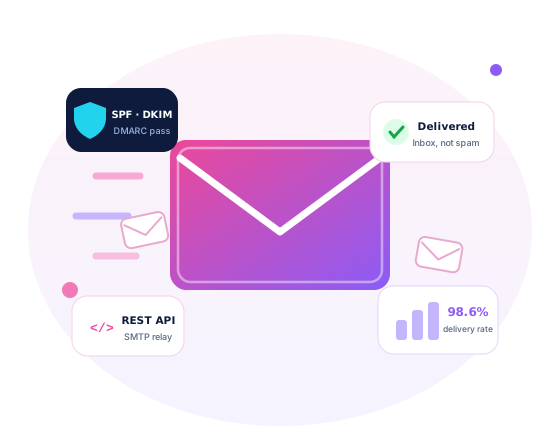
Transactional email — API, SMTP relay and deliverability dashboards
Mission-Critical Email

The mail your product cannot afford to lose

An OTP that arrives late is a failed login. A receipt in spam is a support ticket. An invoice that bounces is late revenue. Transactional mail is production infrastructure — we build and run it that way.

One API call — or plain old SMTP

Developers get a REST API with JSON payloads, template variables and sandbox keys. Everything else — the ERP, the school software, the WooCommerce store, the billing tool — simply points its existing SMTP settings at our relay and inherits proper deliverability without touching a line of code.

Developer integrating an email API on a laptop
Deliverability and bounce dashboards under review

Watched like production, because it is

Every send is tracked from accept to delivery, bounce or complaint. Bounce spikes page a human, hard failures auto-suppress, and DMARC reports are actually read — weekly, by an engineer, not a dashboard nobody opens. When a mailbox provider changes behaviour, we adjust before you notice.

Strict acceptable-use policy: this platform carries transactional and explicitly opted-in mail only. No purchased or scraped lists, no cold outreach, no grey-area blasts — one abusive sender can poison deliverability for every domain near them, so we enforce this with automated review and suspend violators. Report abuse to [email protected].
Deliverability Engineering

Authentication first, reputation always

Domain authentication, done in the right order

We publish SPF, DKIM (2048-bit keys) and DMARC so alignment is actually correct — then walk enforcement up from monitoring to quarantine to reject as the reports prove clean. Done backwards, the same three records silently shred your own legitimate mail; we see it weekly on domains we inherit.

Reputation is then managed like capacity: warm-up schedules for new IPs, shared-versus- dedicated guidance based on your real volumes, and list hygiene that never lets a stale address rot your sender score. For DPDP-conscious senders — banks, clinics, schools — an India-region option keeps message content, logs and archives in-country.

The deliverability runbook

  • SPF, DKIM and DMARC configured, aligned and continuously monitored
  • Staged DMARC enforcement: none → quarantine → reject, reports reviewed
  • IP warm-up plans — volume ramped over 2–6 weeks on new dedicated IPs
  • Shared pool vs dedicated IP recommendation from your actual traffic
  • Hard bounces, complaints and unsubscribes auto-suppressed
  • Feedback loops with major mailbox providers wired in
  • TLS in transit by default; India-region hosting on request
Platform Features

Small API surface, serious plumbing underneath

Templates with variables

Versioned templates with variable substitution and per-language variants — preview test renders before a single real customer sees one.

Webhooks for every event

Delivered, opened, clicked, bounced, complained — signed webhooks to your endpoints with automatic retries, so your app always knows mail state.

Idempotency keys

Network blips and client retries never double-send an invoice or OTP — repeat a request with the same key and it counts exactly once.

Sandbox mode

Full API behaviour with zero real delivery: seed inboxes for staging, deterministic responses for CI, and no accidental mail to production users.

Per-stream analytics

OTPs, receipts and alerts run as separate streams with their own subdomains, reputation and dashboards — one noisy stream never drags down the rest.

5-year audit archive option

Immutable copies of regulated mail — statements, invoices, notices — searchable and exportable when the auditor or the customer dispute arrives.

Why It Matters

Same message, different fate

Mailbox providers decide where your mail lands before they read a word of it — on your authentication, your IP and domain reputation, and your complaint history.

Inbox placement: shared hosting mail vs an authenticated dedicated stream

Authenticated dedicated stream, warmed
~95%
Authenticated shared pool (healthy)
~85%
Unauthenticated shared hosting mail
~55%
Blast to a purchased list
blocked

Illustrative inbox-placement ranges for otherwise identical content; actual results vary by mailbox provider, volume and history. The pattern, however, is stubbornly consistent.

Go-Live Path

Five steps to trusted sending

Verify domain

Prove DNS ownership; pick sending subdomains per stream — otp, billing, alerts.

Authenticate

SPF, DKIM and DMARC published and verified aligned with live tests.

Integrate

REST API or SMTP relay — sandbox first, then least-privilege production keys.

Warm up

Volume ramped on a schedule while seed inboxes verify placement.

Monitor

Dashboards, DMARC reports and bounce alerts — humans on call 24×7×365.

98%+
Delivery target on healthy, authenticated domains
<2s
Median API accept latency target
99.9%
API uptime target, backed by a status page
24×7
Monitoring with engineers on call, not just alerts
Simple Pricing

Predictable tiers, no surprise overage

PlanMonthly volumePrice (indicative)Includes
Dev3,000 emails/moFreeFull API and SMTP, sandbox, 1 domain, community support
Growth50,000 emails/mo₹850/mo3 domains, webhooks, per-stream analytics, email support
Scale250,000 emails/mo₹2,900/moPriority queues, archive option, named support contact
Dedicated IPAdd-on₹1,500/moYour own IP with a managed warm-up plan — for sustained high volume
Indicative pricing: GST extra; exact rates confirmed in writing at signup. Volumes above 2.5 lakh mails a month are priced custom, with dedicated IPs and archive terms scoped to your compliance needs.

Migrating from SES, SendGrid or Gmail SMTP

We run migrations without a big-bang cutover: templates mirrored, suppression lists imported (people who bounced or complained are never mailed again), then both providers run side by side on separate subdomains while traffic shifts stream by stream with placement watched. Gmail-SMTP senders get immediate relief from daily caps and breaking app passwords; SES and SendGrid users usually keep their code and swap credentials.

Engineering workspace during a migration planning session
FAQ

Transactional mail — straight answers

Why not just send through Gmail SMTP?
Gmail is a mailbox, not a mail pipeline: daily sending caps, app passwords that expire and break your OTP flow at midnight, no webhooks, no suppression handling, no per-stream analytics — and terms of service that were never meant for application traffic. It works until the day it silently does not, which is usually the day it matters.
When do I actually need a dedicated IP?
At sustained volume — roughly a lakh mails a month or more, sent steadily. Below that, a healthy shared pool usually delivers better, because low-volume senders cannot keep their own IP warm enough to hold a reputation. We recommend from your real numbers, and it is often our advice not to buy the add-on yet.
Can you take our domain to DMARC p=reject?
Yes — staged. We inventory every legitimate sender on the domain (app, billing tool, CRM, office mail), align each one, then watch aggregate reports for a few weeks before stepping none → quarantine → reject. Enforced DMARC stops criminals spoofing your brand at customers, which matters as much as deliverability.
What about attachments and message size?
PDF invoices, receipts and statements are fully supported, with a per-message cap of about 10 MB after encoding. For heavier files we recommend — and can generate — short-lived signed download links instead: mail stays light and fast, and large documents stop bouncing at strict corporate gateways.
Where are your servers, and where does our data live?
Sending infrastructure sits where deliverability is best served, always with TLS in transit. Senders with DPDP or sector obligations can choose the India-region option: message content, logs and the audit archive stay in-country, with data-processing terms in writing. Ask us to map your compliance needs before you sign anything.
Can I send newsletters or bulk marketing here?
Only to lists with recorded, explicit opt-in — and on a separate stream so it can never touch your OTP reputation. Purchased, rented or scraped lists are refused outright under our acceptable-use policy, however large the order. That strictness is precisely why mail from this platform gets delivered.
People Also Ask

Transactional Mail — 20 questions, answered straight

The most-asked questions on the web about this topic, answered honestly by our team.

What is transactional email?
Transactional email is triggered by a user's action and sent to that one person: OTPs, password resets, order confirmations, invoices, shipping updates, statements. It contrasts with marketing email, which is promotional and sent in bulk. The distinction matters technically and legally - transactional mail needs no unsubscribe link, must arrive within seconds, and is expected by the recipient, which is why it enjoys far better inbox placement.
Why do my emails go to spam?
Usually several small failures stacking up: missing SPF, DKIM or DMARC records, a shared IP with poor reputation, spammy content patterns, sudden volume spikes from a cold domain, or high bounce rates from a stale list. Fix authentication first, warm volume gradually, and remove invalid addresses at the source. Then test with tools that show authentication results, and watch your domain reputation in Google Postmaster Tools.
What are SPF, DKIM and DMARC in simple words?
Three DNS records that prove your mail is genuine. SPF lists which servers may send for your domain. DKIM adds a cryptographic signature that receivers verify. DMARC tells receivers what to do when both checks fail - deliver, quarantine or reject - and mails you reports of who is sending as you. Worked example: without DMARC anyone can spoof billing mail from your domain; with p=reject, forged mail is refused outright.
What is a good delivery rate for transactional email?
Aim for 99%+ accepted delivery and a hard-bounce rate under 2%. Inbox placement - actually landing in the inbox rather than spam - should exceed 95% for authenticated transactional mail. Open rates on transactional messages typically run 40-80%, far above marketing averages, because people are waiting for them. If OTP emails show below 90% delivery, something structural is wrong: authentication, reputation or list quality.
Can I send transactional emails from my Gmail or Google Workspace account?
Not sensibly. Gmail caps sending at roughly 500 messages a day for free accounts and 2,000 for Workspace, and it is built for human correspondence, not automated bursts - exceeding limits suspends sending. Application email belongs on a transactional service with an SMTP relay or API, your own authenticated domain and proper delivery logs. Even a small app will hit Gmail's ceiling within weeks.
What is an SMTP relay?
An SMTP relay is a server that accepts mail from your application and delivers it onward to recipient mailboxes, handling reputation, retries, bounces and feedback loops for you. Your app simply points its SMTP settings - host, port, username, key - at the relay. It is the drop-in path for legacy software: anything that can send email at all can usually use a relay without a single code change.
What is the difference between transactional and marketing email - and why does mixing them hurt?
Transactional mail is one-to-one and action-triggered; marketing is promotional bulk. Mixing them - a password reset carrying a promo banner, or newsletters sent through your transactional stream - drags marketing-grade spam signals onto the mail your users must receive. Best practice: separate subdomains, such as mail.yourbrand.in for transactional and news.yourbrand.in for campaigns, so each builds its own reputation and one cannot poison the other.
How much does transactional email cost?
Pricing is per thousand emails and falls with volume. Indicatively: global providers charge roughly ₹60-100 per thousand at small volumes, entry plans start around ₹800-1,500 a month, and India-hosted or self-managed relays can be cheaper at scale. Worked example: an app sending 50,000 OTPs and receipts monthly might spend ₹3,000-8,000 depending on provider and support level. Deliverability quality, not headline price, decides real value.
What is a dedicated IP and do I need one?
On a shared IP you inherit the reputation of every co-sender, good or bad; a dedicated IP is yours alone to build and protect. Below roughly 100,000 emails a month, stay shared - a dedicated IP needs steady volume to keep its reputation warm. Above that, or for compliance-sensitive senders like fintechs, a dedicated IP, often one primary plus a fallback, is worth the extra cost.
What is IP or domain warm-up?
Mailbox providers distrust sudden volume from new sources, so you ramp gradually: perhaps 500 emails on day one, doubling every few days across two to four weeks until full volume, starting with your most engaged recipients. Skipping warm-up gets new senders throttled or spam-foldered. Domains need warming too, not just IPs - a brand-new domain blasting 50,000 emails on day one is a classic spam signature.
What is an acceptable email bounce rate?
Keep hard bounces under 2%; past 5% many providers throttle or suspend sending. Hard bounces are permanent failures - the address does not exist - and must be suppressed immediately; soft bounces are temporary, like a full mailbox, and are retried automatically. High bounce rates usually mean typo-prone signup forms or old lists. Fix it at the source: confirm addresses at signup instead of cleaning up afterwards.
Should I send email through an API or SMTP?
Both reach the same delivery pipeline. SMTP is universal and effortless for existing software - change four settings and you are live. An HTTP API is faster per message, returns structured error responses, and offers template management and better observability, which suits new applications. The common pattern in practice: SMTP for legacy systems and packaged software, API for anything you are building today.
How fast should an OTP email arrive?
End to end, under five seconds is the standard worth engineering for; beyond 30 seconds users tap resend, doubling your volume and their frustration. Latency hides in your app's queue, greylisting on cold IPs and slow DNS - rarely in the recipient's mailbox. Send OTPs on a dedicated high-priority stream, never queued behind bulk mail, and monitor the p95 delivery time rather than the average.
Why are my OTP emails delayed or missing?
Check in order: your application queue, where OTPs can sit behind a newsletter blast; provider throttling on a cold or shared IP; greylisting by the receiving server; spam-foldering from weak authentication; and finally aggressive corporate filters. Delivery logs show where the seconds go - compare accepted timestamps against send timestamps. The structural fix is a separate, warmed stream or subdomain for authentication mail, monitored independently.
What is a suppression list?
An automatic do-not-send register your provider maintains: hard-bounced addresses, unsubscribes and spam complainants. Sends to those entries are skipped even if your app requests them, protecting your reputation from repeat offences. Respect it - purging a suppression list to force delivery is a fast route to blocklisting. Review it periodically: a user who once marked you spam may be re-added only with fresh, explicit consent.
Do the Gmail and Yahoo bulk sender rules affect transactional email?
The 2024 rules require senders above 5,000 daily messages to Gmail to authenticate with SPF, DKIM and aligned DMARC, keep spam-complaint rates under 0.3%, and offer one-click unsubscribe on commercial mail. Pure transactional mail is exempt from the unsubscribe requirement but not from authentication and complaint thresholds. Practical takeaway for Indian senders: publish DMARC now, even at p=none, because major mailbox providers already gate on it.
What do the DMARC policies p=none, p=quarantine and p=reject mean?
They tell receiving servers how to treat mail that fails authentication as your domain. p=none means deliver anyway but send me reports - the safe starting point. p=quarantine sends failures to spam. p=reject refuses them outright, the strongest protection against spoofing of your brand. The sensible path: start at none, read reports for four to eight weeks to find forgotten legitimate senders, fix them, then step up.
Do I need user consent for transactional email under Indian law?
Transactional messages flow from an existing relationship or contract - order receipts, OTPs, statements - so separate marketing-style consent is not required for them. India's DPDP Act still applies to the personal data inside: send only what serves the stated purpose, secure it and honour deletion rights. The line to respect: once you slip promotions into a receipt, it stops being purely transactional and marketing consent rules attach.
Should I track opens and clicks on transactional email?
Track delivery and bounces always; treat open tracking as diagnostic rather than marketing analytics. Open pixels are increasingly unreliable - Apple Mail's privacy prefetching inflates them - and click-wrapping links in security mail such as password resets can trip corporate filters and teach users to accept redirected links. A good compromise: full tracking on receipts and updates, minimal or no link rewriting on OTPs and resets.
Can Addroit Nexus run transactional email for my application?
Yes - it is one of our core services from Lucknow: authenticated sending domains with SPF, DKIM and DMARC configured correctly, SMTP relay or API integration with your software, warm-up, monitoring and delivery reports. Evaluation of your current setup is free, and pricing is quoted as a fixed figure after scoping volumes, streams and compliance needs; indicative market rates behave like the per-thousand ranges described above.
Quick Query

Have a project in mind? Let's talk.

Tell us what you are building or what is slowing you down — we reply with a clear, honest plan.

  • Response within one business day — usually much faster
  • You talk to engineers, not a sales script
  • Your details stay with us — see our Privacy Policy
Captcha code

By submitting, you agree to be contacted about your enquiry and accept our Privacy Policy. Your query is stored securely and never sold.

Get Started

Let's build something that lasts.

From a single landing page to a rack in our Lucknow edge data center — talk to a real engineer today and get a straight answer.